OneBonfire - Our Blog - News
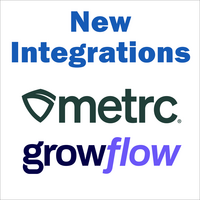
OneBonfire now supports integrations with Metrc and GrowFlow.OneBonfire Integration allows vendors to import products and export orders to/from external systems. Metrc — You can import your products from Metrc into OneBonfire for listing them on the marketplace. This makes filling in your product catalog easy. Also, with the Metrc Tag ID automatically associated with each product, you can re-synchronizing any changes to name or quantity.GrowFlow — You can import your products from GrowFlow into OneBonfire for listing them on the marketplace. Also, you can send your Orders from OneBonfire into GrowFlow. For GrowFlow users, our integration streamlines the process of loading products with inventory into OneBonfire and then sending back to GrowFlow orders received. For more information on how to use our Metrc and GrowFlow integration, see the Help Center under the topic Vendor Panel → Integration
New features in v2.1
"My Customers" hub - A new customer-centric information hub brings all your customer activity together. This includes details on their address and registration information, order history, ordered products history, and a Notes activity log. Find this on the Vendor Panel under Orders > My Customers. Important: For a customer to appear under My Customers, they must have places an Order with you.
Invite Customers - On the Vendor Panel under Homepage, a new "Invite Customers" button allows you to send email invites to your customers not on OneBonfire. The email identifies you and asks them to join the OneBonfire community in order to place orders with you.
New Sales Reports - On the Vendor Panel under Orders > Sales Report, all reports have been fine-tuned and expanded.
Shopping Statistics - Get real-time product and order statistics. You can see metrics on the entire order lifecycle, from View Product...Add-to-cart...Place Order...Paid for Order. Find this On the Vendor Panel under Marketing > Statistics, and under Products > (select a product) > Statistics, and under Orders > (select an order) > Statistics.
Vendor Badges - Showcase your trade organization membership with our new Vendor Badges feature. Vendor Badges are seen on a Vendor’s Products and Micro-store.
Marketplace Homepage Redesign - New shopping experience when you log into OneBonfire! On the marketplace homepage, you are presented with shopping-focused information. This includes current Promotions, Featured Vendors, and recently added Products. This is intended to make the shopping experience easier.
Thank your to all who participated in our v2.0 beta program in August. From your feedback, we have added the following features ahead of our 2.0 launch. Bug Fixes
Various bug fixes identified through testing.
New Features
Product promotional feature - Buy X get Y (ex. Buy any Spring Hill Kush Buds and get a free swag-bag).
Vendor's minimum order requirement - Set the minimum order amount to buy from a vendor (ex. minimum order amount $1,500).
Shipping calculation based on distance - Shipping fee based on distance (ex. free within 20 miles, flat $30 beyond that).
"Announcement Bar" at the top of the marketplace used for displaying important information.
Vendor search view called "Vendors with Filters" which provides different search filters.
Picture cropping and size compression tools.
Feature Improvements
Improvements to the search bar when entering a vendor name - now shows under both Vendor Store and Product Search results.
Improvements to Wish List - Can now create multiple Wish Lists and attach notes. Can also send and share Wish Lists with others.
 OneBonfire - Our Blog - Events
 OneBonfire - Our Blog - News